
Scanned pages
Image-based pages, inconsistent scan quality, or tables that are not stored as selectable text.
Complex PDF → structured Excel
For scanned, irregular, or high-page-count documents that need more than a one-click conversion. Start with 1–2 redacted representative pages so the source structure can be assessed before scope or pricing is discussed.
01 / EVIDENCE
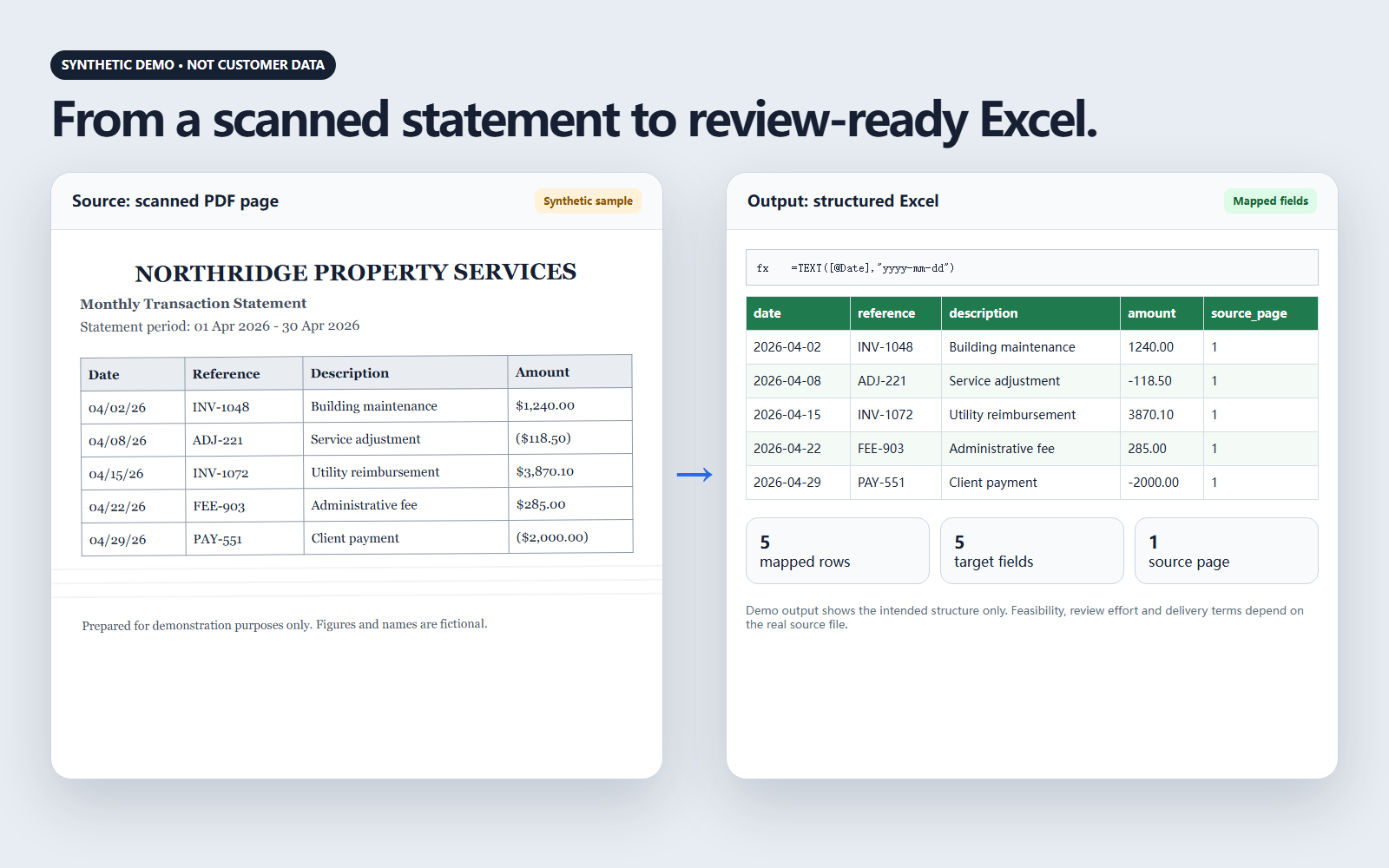
LeoPDF has a real PDF-to-Excel product workflow. The service layer begins where a generic conversion is not enough: the source must be reviewed against the Excel output required.
The large demonstration is fictional and labeled as such. The application image below is a real LeoPDF interface showing the published PDF-to-Excel capability.
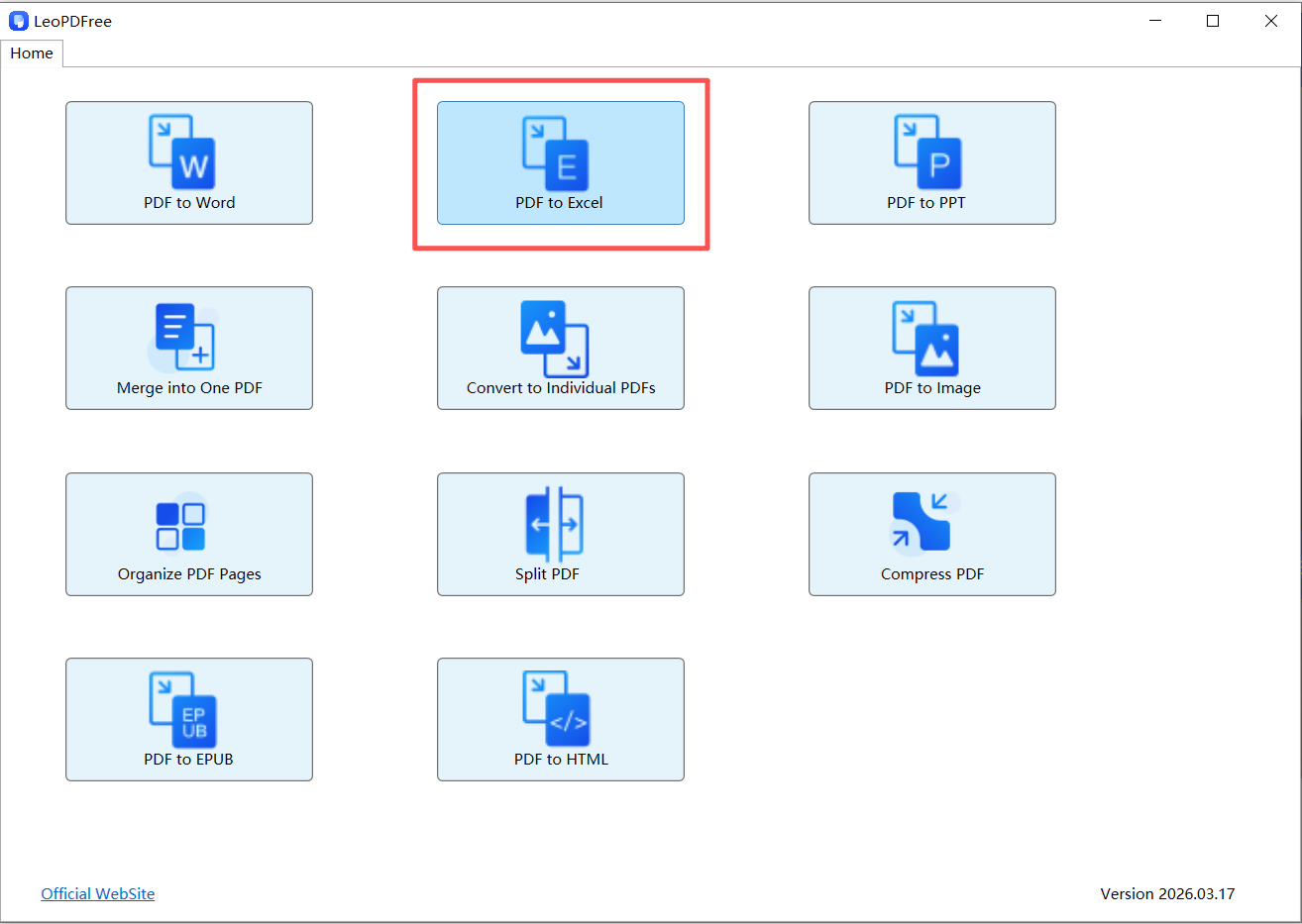
Source: LeoPDF’s published PDF-to-Excel workflow. Shown as product evidence, not a universal conversion promise.
02 / FIT
These characteristics make a sample-based assessment more useful than assuming a standard converter will produce the required workbook.
Image-based pages, inconsistent scan quality, or tables that are not stored as selectable text.
Changing headers, merged cells, repeated sections, or table layouts that vary between pages.
Enough pages that manual re-entry or page-by-page cleanup becomes operationally expensive.
A required set of columns, field names, formats, or review notes that must match the business task.
03 / PROCESS
The first exchange is designed to answer whether the document and target output are a reasonable fit. It is not a request for the full file.
Choose one or two representative pages. Remove names, account details, client identifiers, signatures, and other sensitive information.
State the approximate page count and the Excel columns, field names, or example output needed.
The sample is coordinated for technical review to identify layout issues, extraction fit, and questions that must be answered.
Only after assessment are the output, review needs, delivery terms, and price discussed for the specific project.
One direct contact from the first sample through scope coordination.
Jack clarifies the document problem, records the required Excel structure, and coordinates the technical suitability review. The page does not present Jack as the creator of LeoPDF or as an official software salesperson.
04 / FILE BOUNDARY
05 / QUESTIONS
The initial step should reduce uncertainty, not create a new data-handling risk.
One or two pages that show the real difficulty: scan quality, table structure, changing headers, or cross-page layout. Remove names, account details, signatures, addresses, and other identifiers first.
Page count alone does not define the work. Scan quality, table variation, required fields, exception handling, and the target workbook structure all affect the scope.
No. It is a synthetic example with fictional names and figures, used only to show the difference between a source page and a structured Excel output.
You receive questions or a suitability response. If the document appears workable, the full scope, expected output, review requirements, and commercial terms are discussed before full-file transfer.
Do not send it during the initial inquiry. The transfer and handling requirements for a full project must be agreed separately before the file is provided.
Email a redacted sample, the approximate total page count, and the Excel columns you need. That is enough to begin a suitability discussion.
Email Jack Yue